How-To Connect and Disconnect Projects and Repos using Keypup

In this quick how-to tutorial, you will learn how to connect or disconnect your projects and repos from Keypup Development Intelligence solution.

Thomas Williams
Thomas Williams LinkedIn
• 3 min read
How-To Connect and Disconnect Projects and Repos using Keypup

To unleash Keypup’s full potential, we recommend connecting all active projects and repos to the platform during the trial period. This way, you will be able to compare projects against each other and see which ones are consuming most of your time. Linking this info to the most lucrative features / products, you will be able to gain insights on what has high value for you and how to manage time for the less lucrative yet needed ones.

At Keypup we want to make sure you are always in control of your development data and their access. For this reason we ask you to explicitly tell us which project(s) / repo(s) you wish to connect to Keypup.

Note that we do not fetch any code from your repositories. Instead, we harness all kinds of metadata so we can build comprehensive software development datasets.

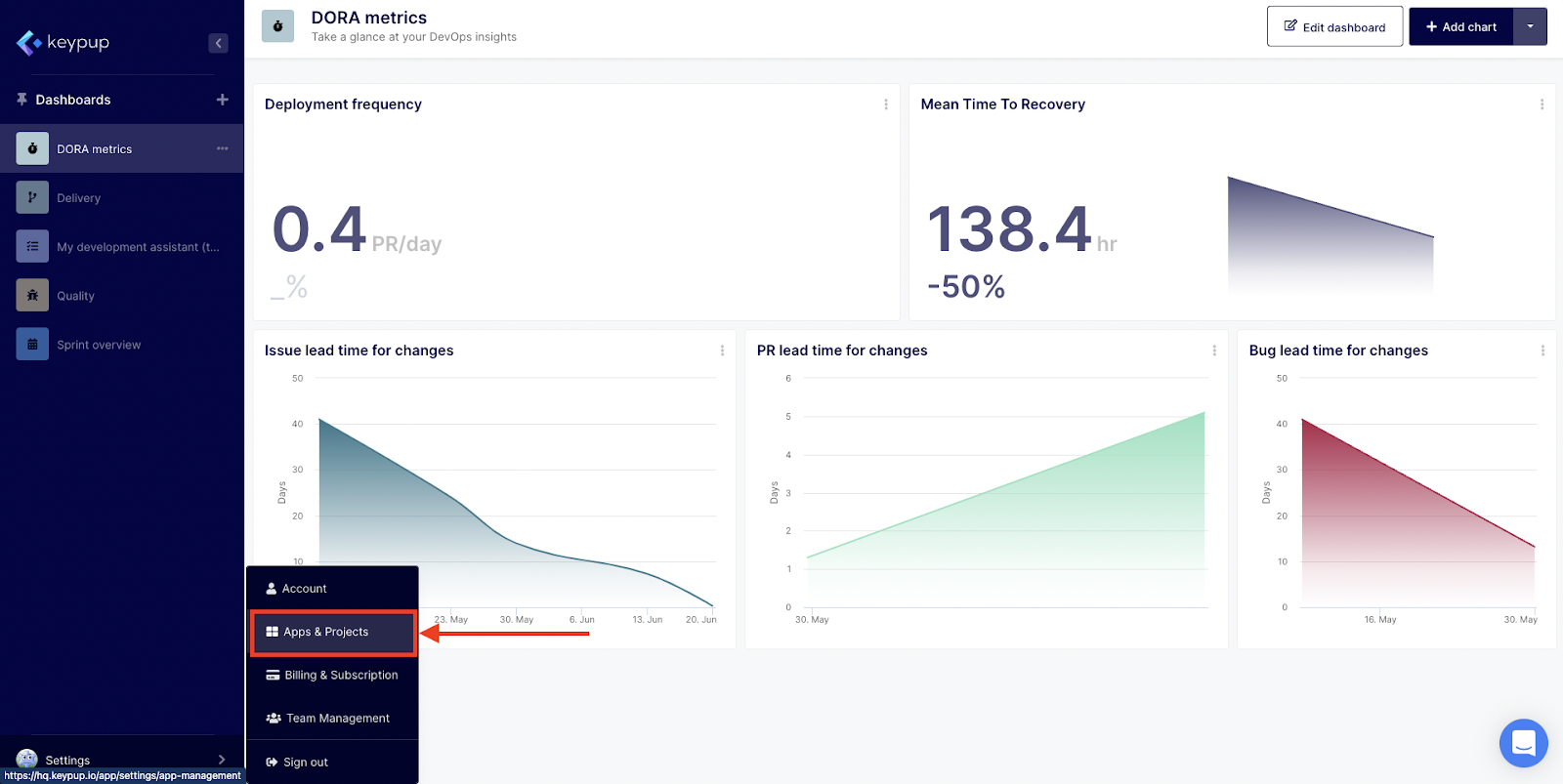
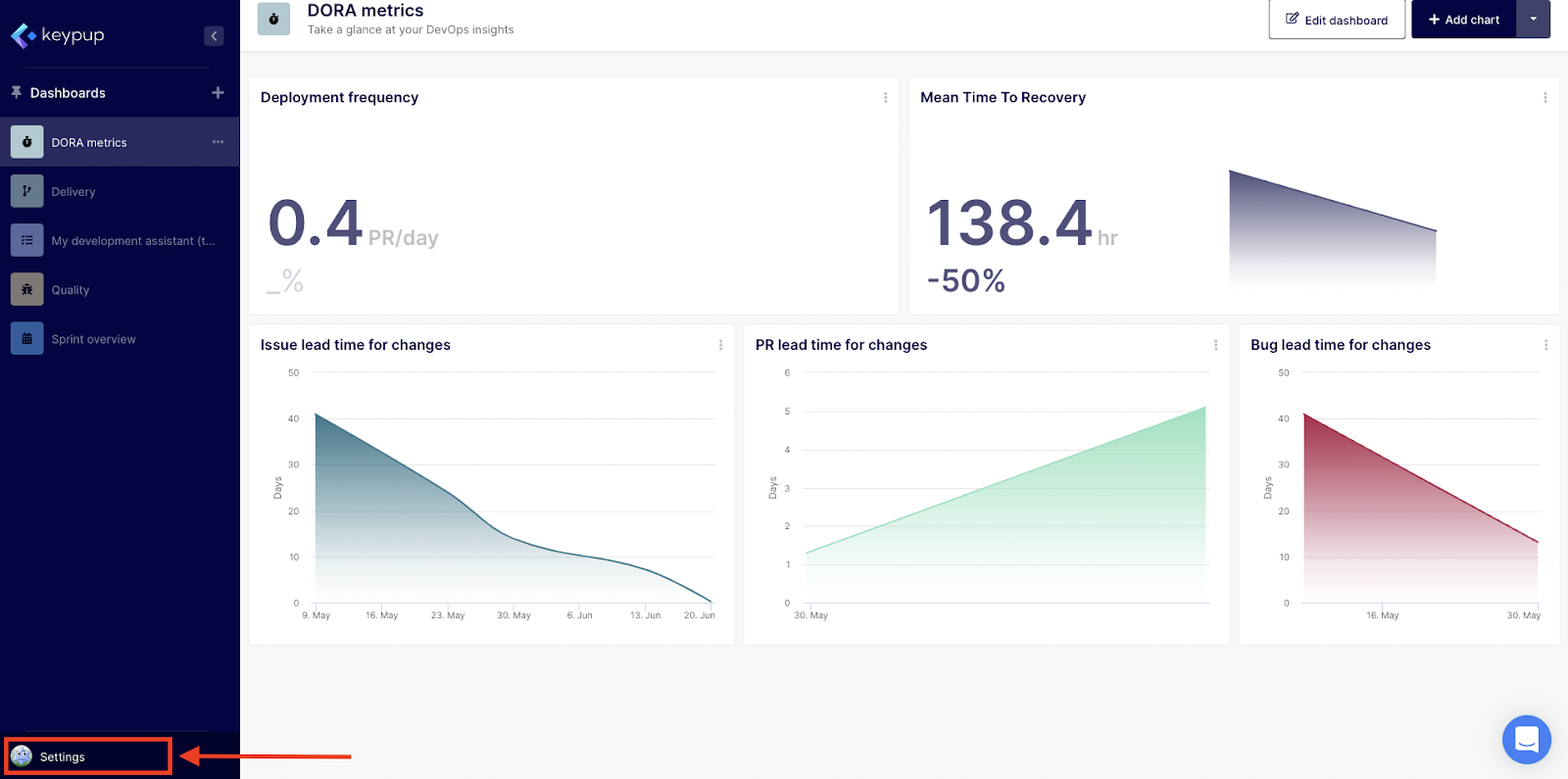
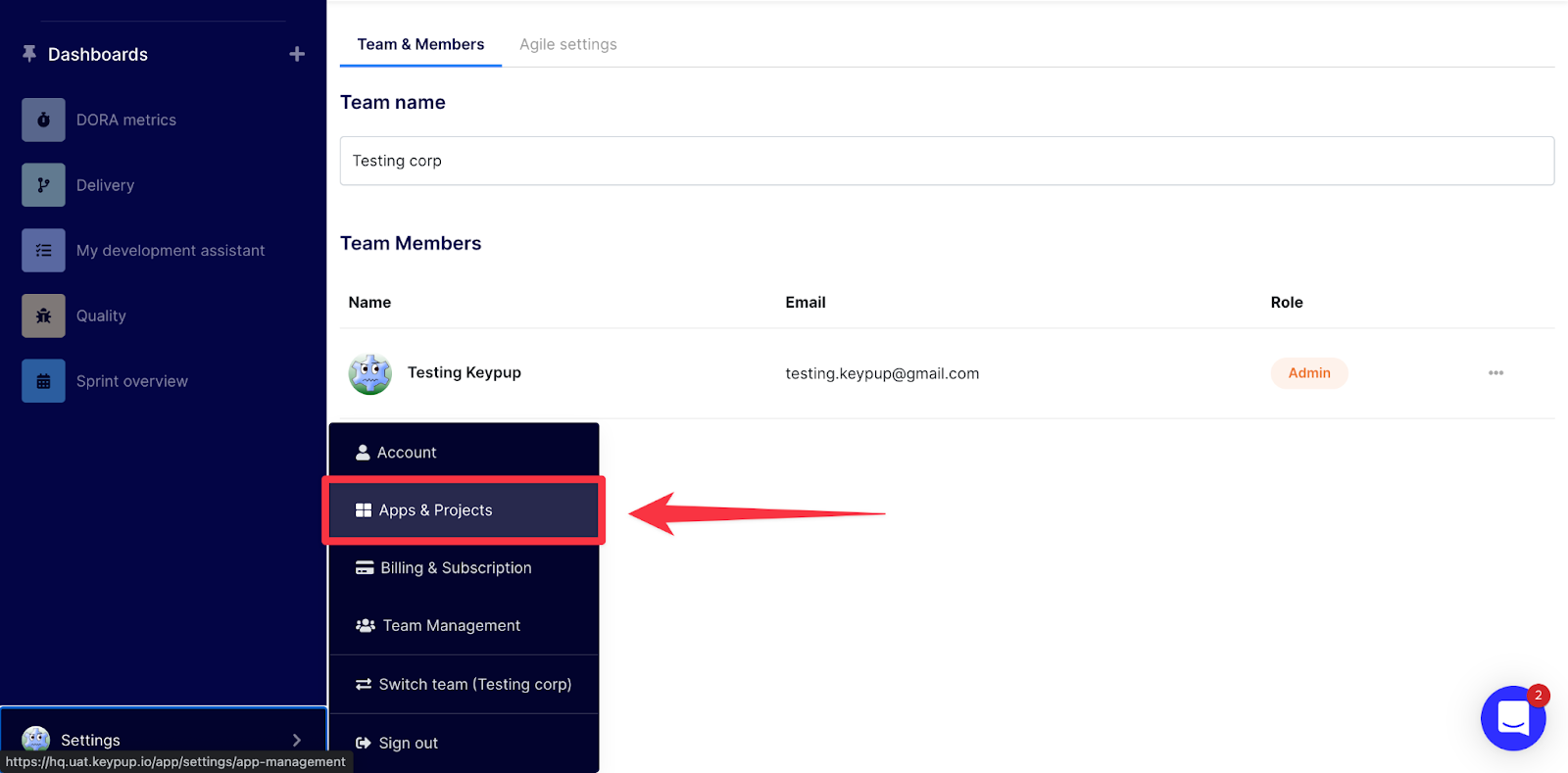
To connect a new project / repository, go to the Settings at the bottom left section of your screen in the navigation menu.
Image

Then, select Apps & Projects.

Image

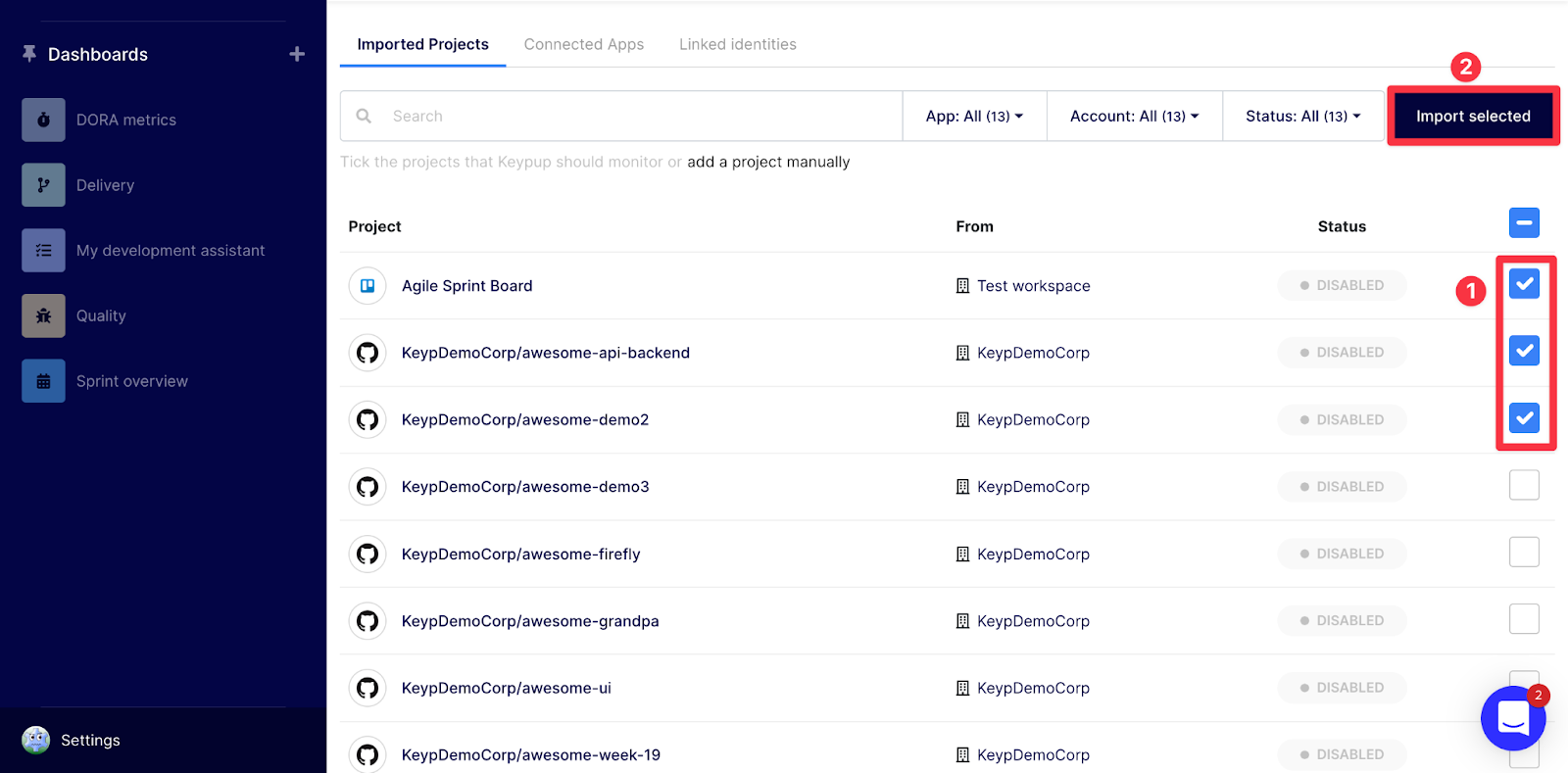
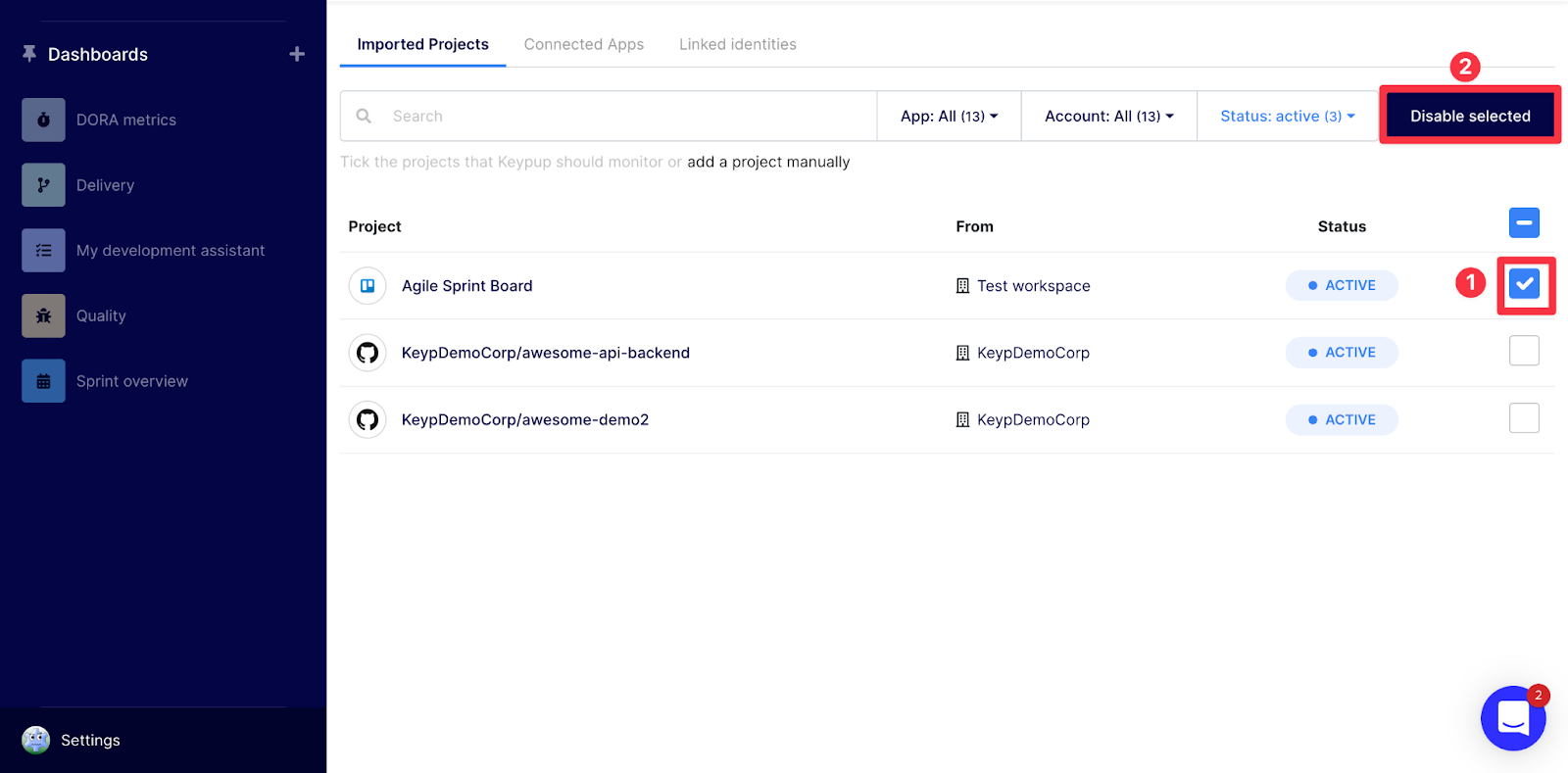
This will open automatically the Imported projects tab which will show you which projects/repositories are active and which ones are disabled. To connect, select the project(s) / repos by ticking the boxes and setting them as active clicking the** Import selected** button. To disconnect them, select them by ticking the boxes and set them as disabled selecting the Disable selected button.

Connecting projects / repos
Image

Image

Disabling projects / repos

Image

Note: you can search a project by name using the search bar, or see all projects /repos available from the connected apps (active or not) by selecting All from the status filter.

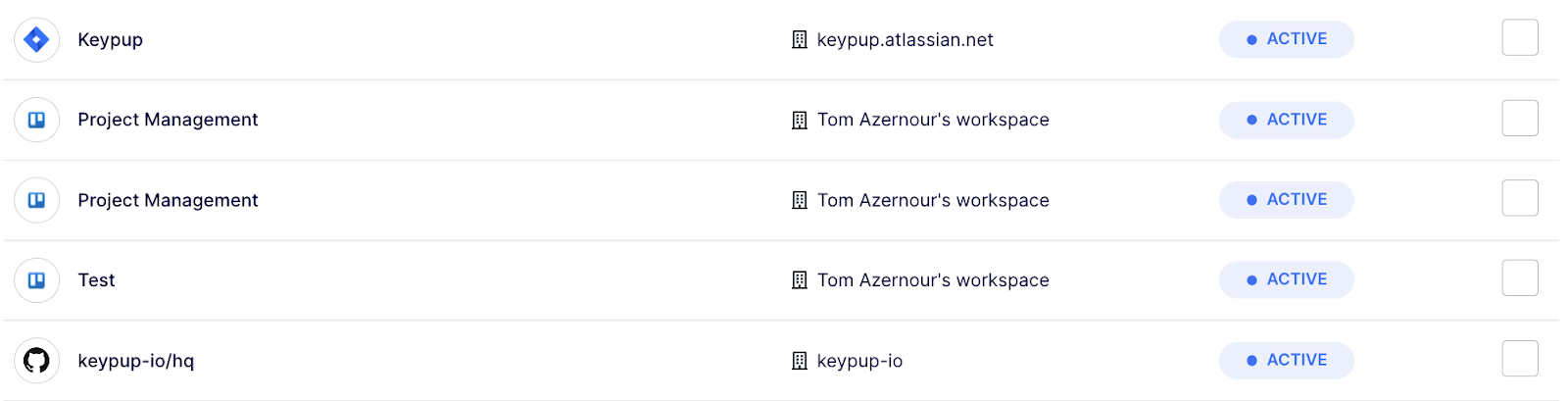
That's it! After a short period of time - depending on the volume of data contained in your projects / repos - you will see them set as active.
Image

Once your projects/repos are connected, you can build your dashboards / reports and insights through Keypup builder interfaces).

Note: you will be guided through all these steps on your first sign-up during your onboarding.

Any recommendations or tips? Ping us through the chat or contact us using this form.

Ready to Transform Your Analytics?

Join teams already using AI to make data-driven decisions faster than ever.

Most Recent Articles

6 Best Engineering Metrics Software for Fast Setup (2026)

6 Best Engineering Metrics Software for Fast Setup (2026)

Compare the 6 best engineering metrics software for fast setup in 2026 — Keypup, LinearB, Swarmia, Jellyfish, Faros and Harness SEI — across setup speed, integration overhead, dashboard flexibility, delivery metrics coverage, AI capabilities and data security. Find out which platform gets a mid-market engineering team from connecting Git and Jira to actionable delivery metrics in minutes, not months.

Thomas Williams
Release Notes Fiction: Why Your Jira Fix Version Doesn't Match What Actually Shipped

Release Notes Fiction: Why Your Jira Fix Version Doesn't Match What Actually Shipped

Your release notes list 9,860 changes. Only 71% had merged code by the release date, and a quarter of the merged code is listed nowhere. Learn what engineering leaders on Reddit say about Jira Fix Versions, release scope and untracked changes at enterprise scale, and how Keypup MCP reconciles each version's scope with linked, merged pull requests.

Arnaud Lachaume
The Bug SLA Mirage: Why Priority Fix Targets Are Missed and Nobody Knows

The Bug SLA Mirage: Why Priority Fix Targets Are Missed and Nobody Knows

Your bug SLA report says 91%. Your customers experienced 65%. Learn what engineering leaders on Reddit say about P1 fix-time targets, SLA clocks that start late and bugs closed to stop the timer at enterprise scale, and how Keypup MCP measures real SLA attainment by priority and team from Jira workflow history and linked pull requests.

Thomas Williams